Nonprofit Annual Report Video: Your Year’s Story in One Minute
connectNPO · Updated October 2026
Key takeaways
- A nonprofit annual report video is a minute or so of pictures and words that tells the year: who you served, one number with how it was counted, where the money went, and what comes next. It points to the written report.
- We checked 591 working home pages of small US nonprofits. 109 (18%) had a video player on the page, 73 linked an annual report or a financial page, and 14 had both.
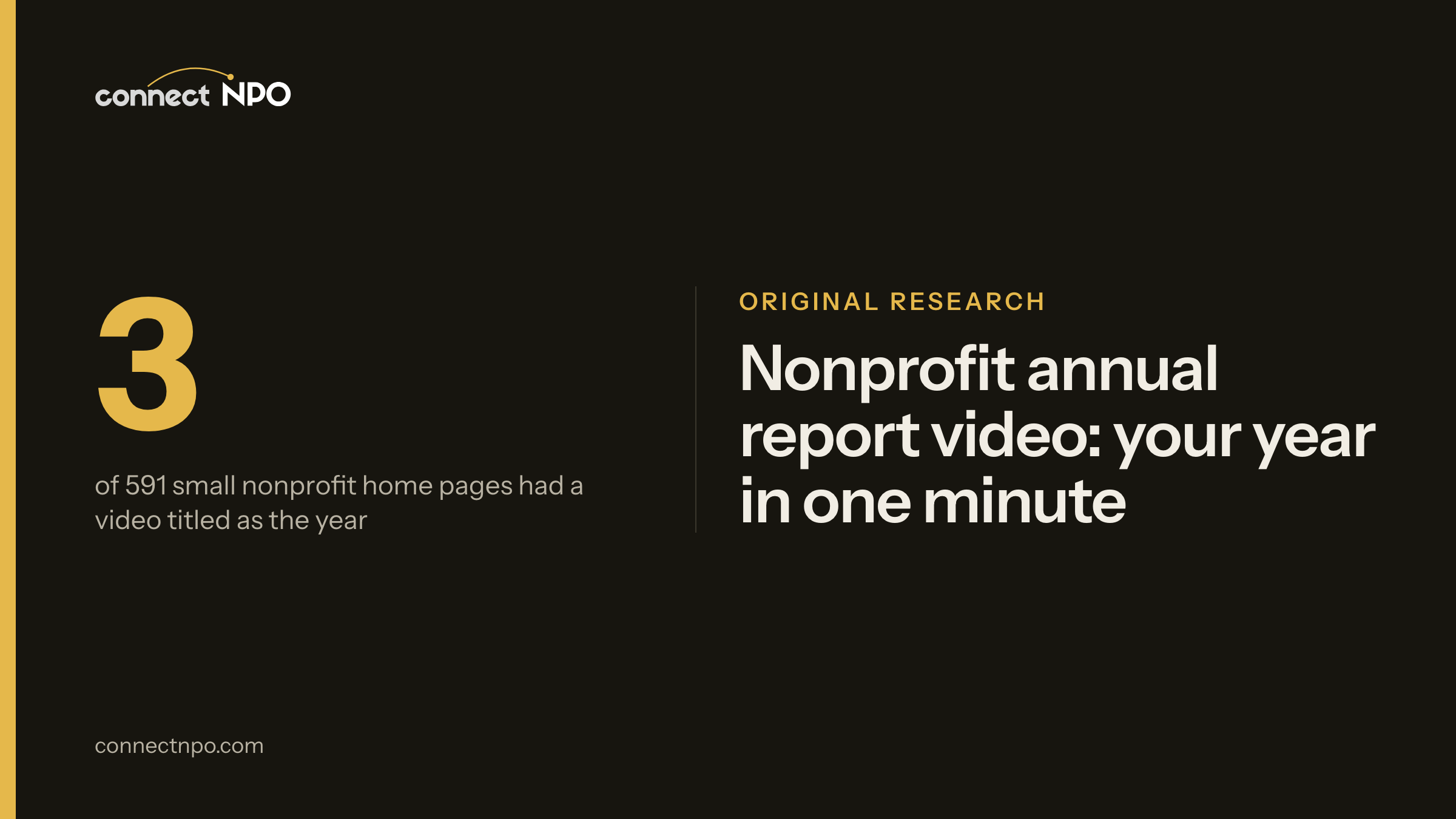
- Only 3 of the 591 home pages carried a video whose title marked it as a year or impact video. That is a floor, because an untitled video could still tell the year. Check your own home page: does any video on it tell the year?
- Five beats fit in a minute: the place, the people, one number and how it was counted, the money in three parts, and the next step. The totals must match the written report.
- You do not need a film crew. Photos and short clips you already have, words on screen for people watching with the sound off, and one ask at the end are enough to start.
Suppose the annual report took three months: the photographs, the letter from the board chair, the pie chart someone redrew twice. It is a PDF now, linked from the footer of the website. At the annual meeting a new board member asks, so what did we do this year? The answer is on page fourteen.
This guide is about a shorter version of that answer: a minute of pictures and words. We checked the home pages of 591 small US nonprofits for a video and for a link to an annual report or financial page, and we made fifteen sample videos of our own, each built from an invented organization’s own figures. Here is what fits in a minute, and how to make one from what you already have.
Nonprofit annual report video: the short answer
A nonprofit annual report video is a short video, about a minute, that tells the year. It shows the place, the people you served, one number with how it was counted, where the money went, and the next step. It does not replace the written report. It points to it. In our check of 591 small nonprofit home pages, 109 had a video player and 73 linked a report or financial page, but only 3 carried a video titled as a year or impact video.
The annual report and the minute in front of it
A cookbook holds every recipe the family has ever made. The card stuck to the fridge holds the one people actually cook on a Tuesday. An annual report is the cookbook: complete, careful, worth keeping. The video is the card on the fridge. Its job is to get someone to the table, and then to the book.

That is the thesis of this guide: the video is the front door of the annual report, not a replacement for it. Everything in the minute should be something the report backs up, and the last frame should say where the full report is. Our guide to nonprofit annual report design covers the written report itself.
We checked 591 small nonprofit home pages
We started with 1,000 small US public charities, picked at random from the IRS list of tax-exempt organizations. 591 of them had a website on their own domain that loaded. On each saved home page we looked for a video player, such as YouTube, Vimeo, Wistia, Loom or Facebook, or a plain video with play controls. We also looked for a link to an annual report, an impact report, a year in review or a report to the community, or to a financial page: financials, financial statements or reports, a 990, an audit, or transparency. We read every financial link by hand. In a first, looser pass we opened 20 video pages by hand and 19 had a real player. The one miss was a design-tool video box with no player inside it, so we left all 23 pages built that way out of the count. With them, the total would be 132.
591 working home pages from our random sample of small US 501(c)(3) public charities ($250,000 to $1 million in revenue), loaded October 3 and 4, 2026 and counted October 5, 2026. Home page only. No organization is named.
73 sites linked a report or a financial page, and 109 had a video. On 14 home pages the two sat side by side. Only 3 of the 591 carried a video whose title marked it as the year’s story, such as an impact video or an update for 2025. Some untitled players may tell the year too, so 3 is the lowest the real number could be.
What goes into a one-minute annual report video
The evening weather report gives the day’s high, the low and the rainfall. It does not read out every reading the station logged. A minute about the year works the same way: a few figures a viewer can carry away, and a link to the rest.
0–10 s
The place
Where the work happens: the room, the field, the van, the door.
10–20 s
The people
Who you served this year, in one plain count.
20–35 s
One number
The figure that shows the work, with a short line on how it was counted.
35–50 s
The money
What came in and where it went, in three parts.
50–60 s
The next step
Give, volunteer, or read the full report. One ask.
Spend the most care on the third beat. Pick one number that shows the work, then say in a few words how it was counted, the same habit our impact report examples follow. Our sample videos are built from each invented organization’s own sample figures. Even Harvest, an invented fair-wage organization, shows two of them together: $3.20 a day, the median paid before a farm joined, and a $4.10 sample benchmark to measure it against, both labelled as samples on screen.
Where the money went, in three parts
A grocery receipt has one total at the bottom, and every item that adds up to it is printed above for anyone who wants to check. A minute about the money works the same way: one total, split into a few parts, with the full figures one click away.
Sample · Even Harvest, an invented nonprofit
$712,000 spent in the year: 77% programs, 15% management, 8% fundraising
- Field verification$318,000
- Farm programs and benchmark work$141,000
- Publishing and the ledger$86,000
- Management and general$109,000
- Fundraising$58,000
Those are the Even Harvest sample figures, and in its video the bar appears with the five amounts beside it. The five amounts group into three parts: programs, management and fundraising. Three rules keep this part honest. Use the same totals your written report and financial statements show, so a viewer who checks finds the same numbers. Round the same way in both places. And let whoever prepares your financial statements confirm the figures before the video goes out. We do not prepare or review financial statements; the video only says what the report already says.
How to make an annual report video from photos you already have
No film crew is needed. A year of phone photos, a few short clips from events, and the figures from the report are the whole kit. Three things make the difference.
Words on screen. A viewer may be somewhere the sound cannot be played, so every line should be readable as well as heard. If someone speaks, add captions. The W3C’s guide to captions explains that they serve people who are Deaf and others who cannot hear the audio, and YouTube’s help center shows how to add them to an uploaded video.
One minute, then stop. Five beats of ten to fifteen seconds each come to about a minute. If the year needs more, make a second video for the annual meeting and keep the short one for the website.
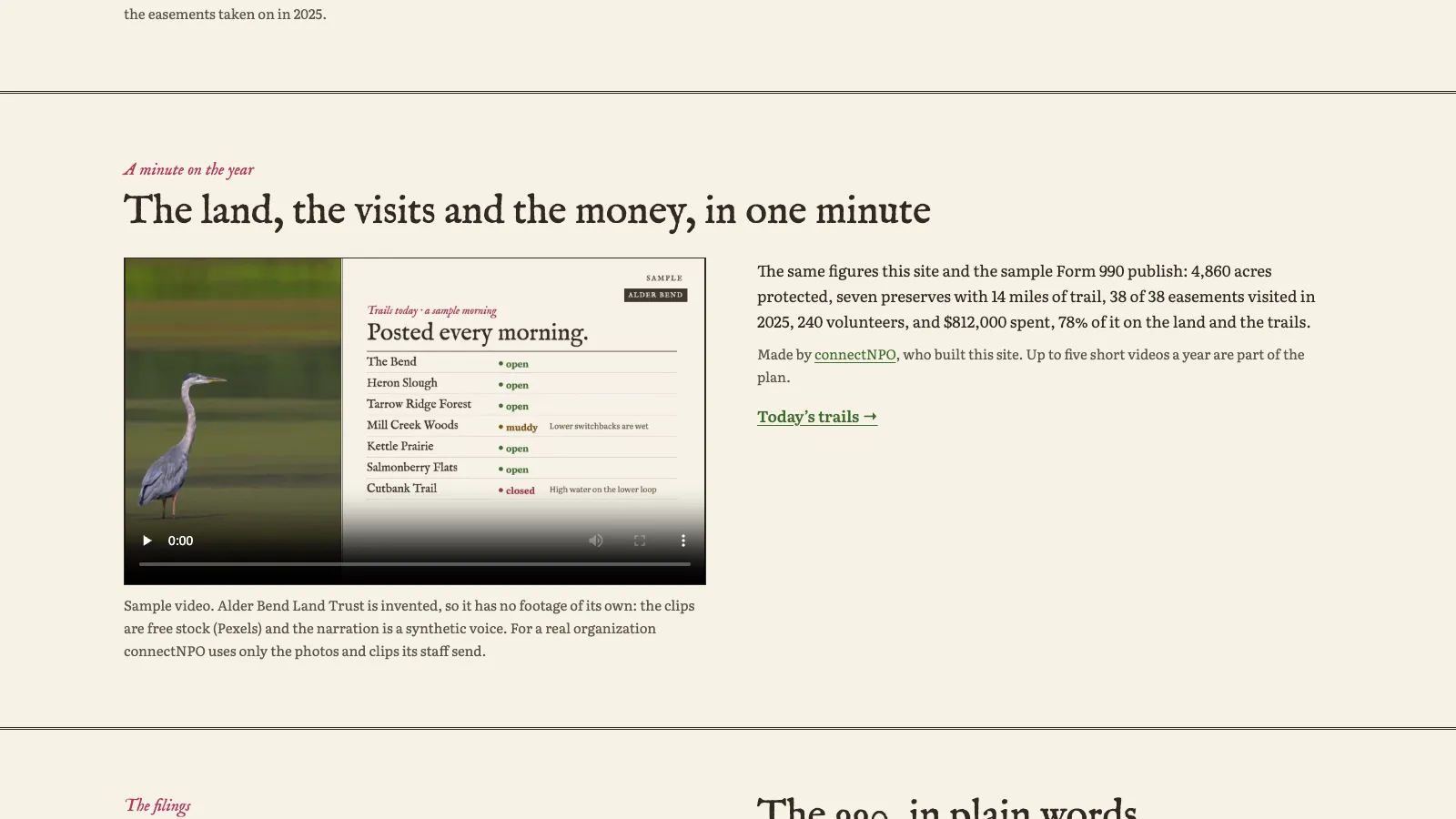
Your own pictures. Real photos of your place and your people are the point. Our fifteen sample videos run a little longer, 66 to 92 seconds, and use free stock clips only because the organizations are invented. For a real nonprofit, we use only the photos and clips its staff send us. You can watch all fifteen on our Videos page, and our guide to the first minute of a nonprofit video covers the opening seconds.
Your year in a minute, made from your own pictures
Our plan includes up to five one-minute videos a year, made only from the photos and clips you send us: no stock footage and no AI-generated people. We use only the figures your site and filings already report, you confirm every number, and nothing is published before you approve it. One plan, $180 a month, and the $1,000 build fee only after you approve the finished site.
Where to put your year in review video
- 01Beside the annual report link on the home page. It gives a visitor who skips PDFs something to press, and the video ends by pointing to the report.
- 02On the financials or impact page. The same totals, said out loud, next to the documents they come from.
- 03In the year-end email. As a still frame that links to the video on your website. Mailchimp’s help center says most email programs cannot display video placed inside the email, so a picture that links to the video on your site is the dependable way.
- 04At the annual meeting and in grant reports. A minute to open the meeting or the report, with the full figures right after it.
- 05On social media, in a tall, phone-shaped version. Put the words right on the picture so it works with the sound off, and add the link to the full report in the post.
For the email side, our guide to nonprofit newsletters covers how a video appears in an issue, and year-end giving covers the timing of the late-autumn ask. If your home page has no link to the annual report yet, start there; see what should be on a nonprofit website. Our sample sites are invented nonprofits with complete demonstration websites, several with a video on the financials page, and Even Harvest shows one on its home page.
Frequently asked questions
What is a nonprofit annual report video?
A short video, about a minute, that tells the year in pictures and words: who the organization served, one number with a line on how it was counted, where the money went, and what comes next. It sits beside the written annual report and points to it, so a visitor who wants the detail can open the full report.
How long should an annual report video be?
Around a minute is a good target for the home page and for social media: short enough to watch in full on a phone. Our fifteen sample videos run a little longer, 66 to 92 seconds. A longer version can play at the annual meeting.
What should an annual report or impact video include?
Five parts: the place where the work happens, the people it reached, one number with how it was counted, where the money went in three parts such as programs, management and fundraising, and one next step such as giving, volunteering or reading the full report. Every total should match the written report.
Do we still need a written annual report if we make a video?
Yes. The video is the front door and the written report is the room behind it. The full figures belong in the written report, and the video should link to them. Our guide to nonprofit annual report design covers the written report.
Can a small nonprofit make an annual report video without filming?
Yes. Photos and short phone clips from the year, words on screen for every line, and a simple bar for the money are enough. Put the words on screen so the video works with the sound off, and add captions if anyone speaks. Our plan includes up to five one-minute videos a year made from your own photos and clips.
See your finished website before you pay for it.
A home page that can carry your year in a one-minute video and links to the full report, kept current. You pay nothing until you approve the finished site. Then the first payment is $1,180: the build fee plus the first month. After that it is $180 a month.
See the plan and apply →Counts from our check of 591 home pages of small US public charities, saved October 3 and 4, 2026 and counted October 5, 2026; no organization is named. The sample sites and sample videos we link to are fictional and every figure in them is a sample. This guide is general information, not accounting, tax or legal advice.