Nonprofit website examples

Nonprofit website examples: fifteen brands you can press, not just look at.

Fifteen invented nonprofits, fifteen working websites, each with its own name, look, voice and story, kept the same from the home page to the financials. No nonprofit can show you a client's staff area, so we built organizations that do not exist and gave each one a complete site. Press the buttons, fill the forms, sign in to the staff side. Find the one closest to yours.

Read this first
  • Every person, number, program and document is invented, and each page says so.
  • Every form works and sends nothing. No email, no payment, no record.
  • The staff side opens without a password. Nothing you change there is saved.
  • None of them is a client. Nothing on them is a client's data.
01 · Soil cleanupBudget about $610K · 6 staff · 10 pages

Cinder & Root

A soil-cleanup nonprofit after a wildfire, whose neighbours could not tell which burned lots had been tested, or what the second test said.

  • →A home page that scrolls like a film: smoke over the burned ground, a zoom from the mountain into one slope where the site line is drawn, a map of fourteen sites, and a soil core whose sample reading counts down
  • →Every site with its first and second reading and how it was measured; free test days with slots left, and a request form that never asks about health
  • →Courses with seats, jobs that leave the page when they close, guides with a checked date, and every sentence a field staff edit in WordPress
Cinder & Root home page
The soil core: earth black and bone, scroll scenes that zoom, draw a line and count.
02 · Land trustBudget about $880K · 5 staff · 9 pages

Alder Bend Land Trust

A land trust whose visitors drove out to a flooded trail, because nothing on the site said whether it was open today.

  • →Trail status on every page: staff set each preserve to open, muddy or closed with a reason, and the header, the board and the structured data follow, with the time it was posted
  • →Work days with places left, and easement monitoring shown as counts only: how many were walked this year, never which land
  • →Every sentence on every page is a field staff edit in WordPress; the layout stays in code. The 990 read in plain words, beside the stewardship fund
Alder Bend Land Trust home page
The almanac: paper and walnut ink, a year wheel, a plate for each season.
03 · Fair-wage programBudget about $740K · 5 staff · 6 pages

Even Harvest

A fair-wage organization whose whole promise was a number nobody outside could check, until every farm's pay was put on the page.

  • →The wage ledger: fourteen farms, the paid rate against a sample benchmark, the gap as a bar, and a flag on any farm not verified in 180 days
  • →The premium arithmetic: cents per pound in, what it funds per worker per day out, from the ledger's own figures
  • →Brand partners with a status staff set; numbers with a method; the premium pass-through shown apart from revenue beside three labelled 990s
Even Harvest home page
The reference-style poster site: ink and white bands, wave dividers, a wage ledger.
04 · Youth artsBudget about $600K · 4 staff · 13 pages

Harborlight Youth Arts

After-school arts programs on a working waterfront. The first sample, and the deepest.

  • →Enrolment form with live places, a waitlist and an interest list
  • →Shows and a student-work gallery staff edit; guardian consent lives in the data
  • →Financials, impact with methods, a search-preview page, year-end statements
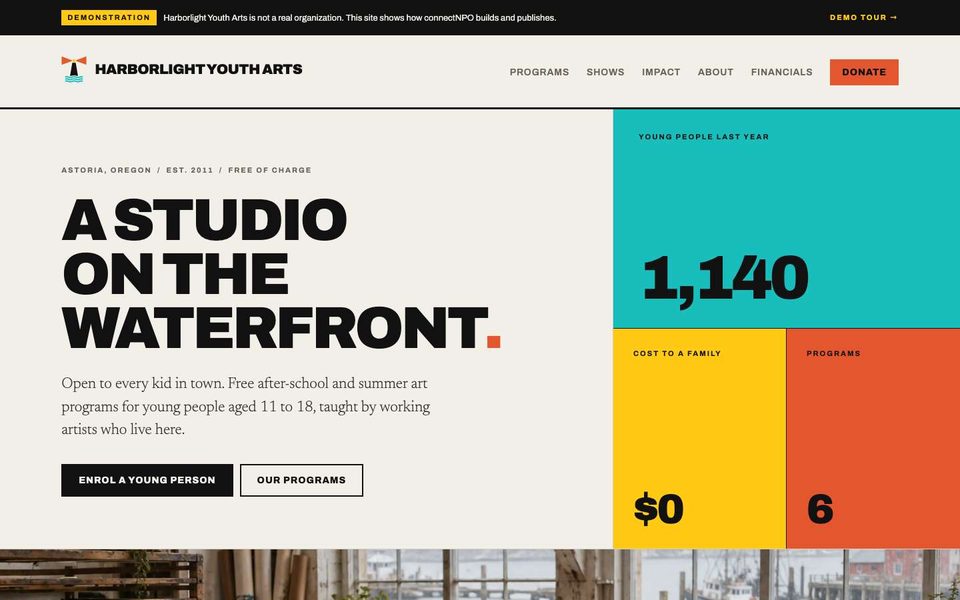
Harborlight Youth Arts home page
"Print shop": flat poster colour, heavy type, hard rules. No photography needed to look finished.
05 · ScholarshipsBudget about $400K · 2 staff · 6 pages

Wren Valley Scholarship Foundation

Forty-one named funds, one application, and every total computed from the award records.

  • →An application window that opens and closes from each fund's own dates
  • →268 awards on record; recipients and year totals add up from the list
  • →Give to any of 41 funds; three 990s that agree with the site
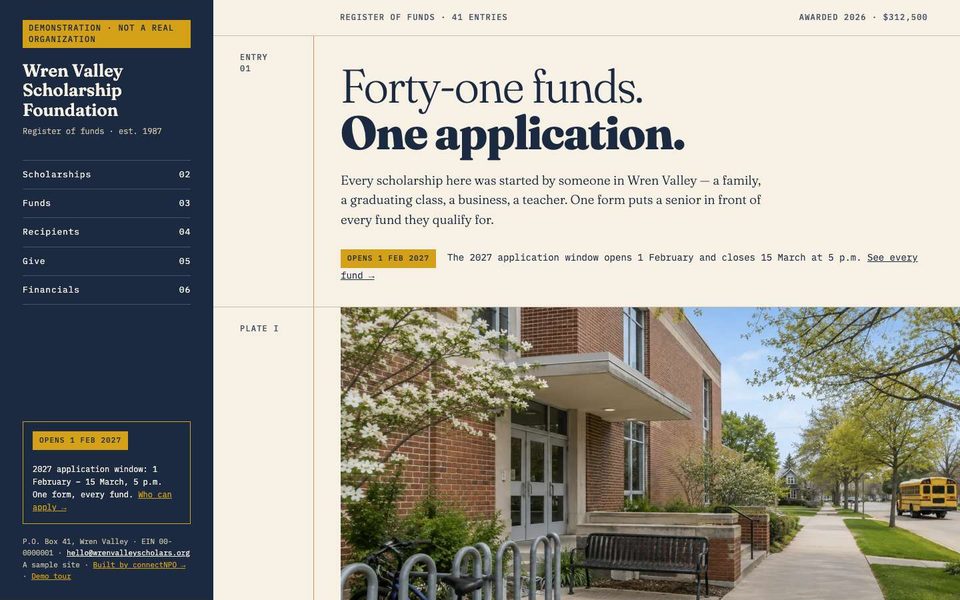
Wren Valley Scholarship Foundation home page
"The ledger": a dark spine with the index, every fund and award its own entry on the page.
06 · Community theatreBudget about $300K · 2 staff · 6 pages

Old Ferry Playhouse

A cork call board: shows, auditions, crew sheets and a season pass, all pinned to one wall.

  • →Show sheets sized to the licensor's billing rule staff enter
  • →Audition sign-up with an age check and guardian consent under 18
  • →A crew sheet per performance; a season-pass window that opens itself
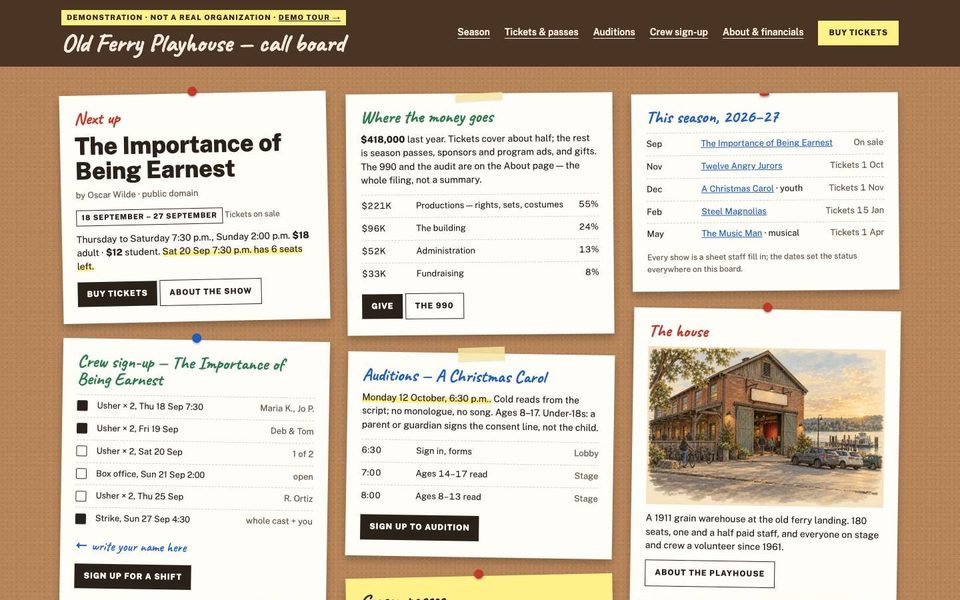
Old Ferry Playhouse home page
"Call board": paper sheets pinned to cork inside a wooden frame; handwritten labels only.
07 · Youth centerBudget about $700K · 6 staff · 6 pages

Kestrel Youth Center

A teen center whose website reads like its text thread: today's notice becomes the whole site.

  • →One day-sheet feeds the thread, the facts column, the parents page and the quick replies
  • →Referral form with live capacity; mentor steps in public
  • →A "text every parent" staff screen that sends nothing here
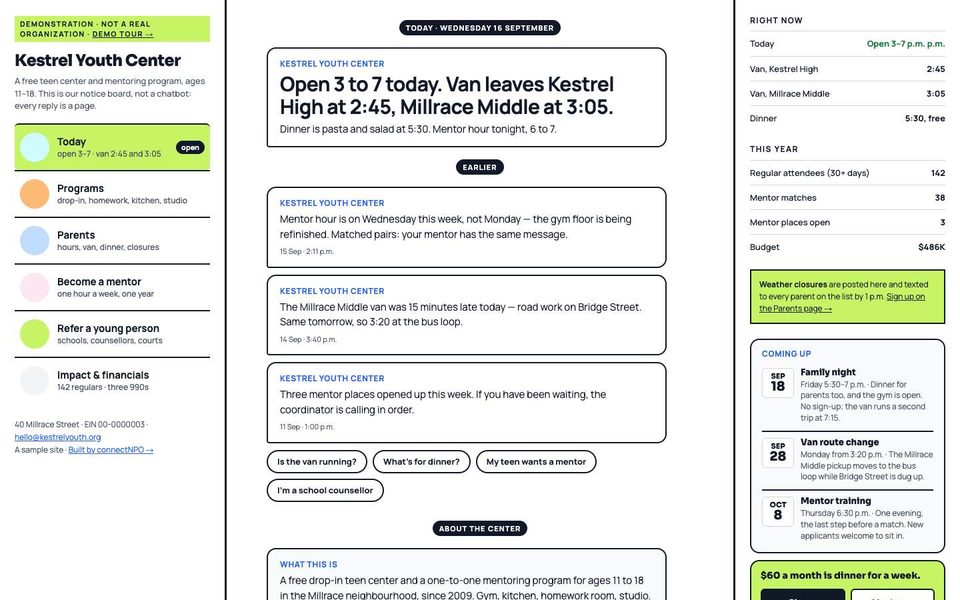
Kestrel Youth Center home page
"The thread": contacts on the left, today's messages in the middle, the facts on the right.
08 · Youth sportsBudget about $470K · 1 staff · 6 pages

Tenmile Youth Soccer Club

A club that registers on an outside platform. The site is the part the platform never does.

  • →Ten fields posted open, closed or limited every day by 2 p.m.
  • →Registration windows that open and close themselves, to the minute
  • →Fees with aid in one box; coach clearance in public, per age group
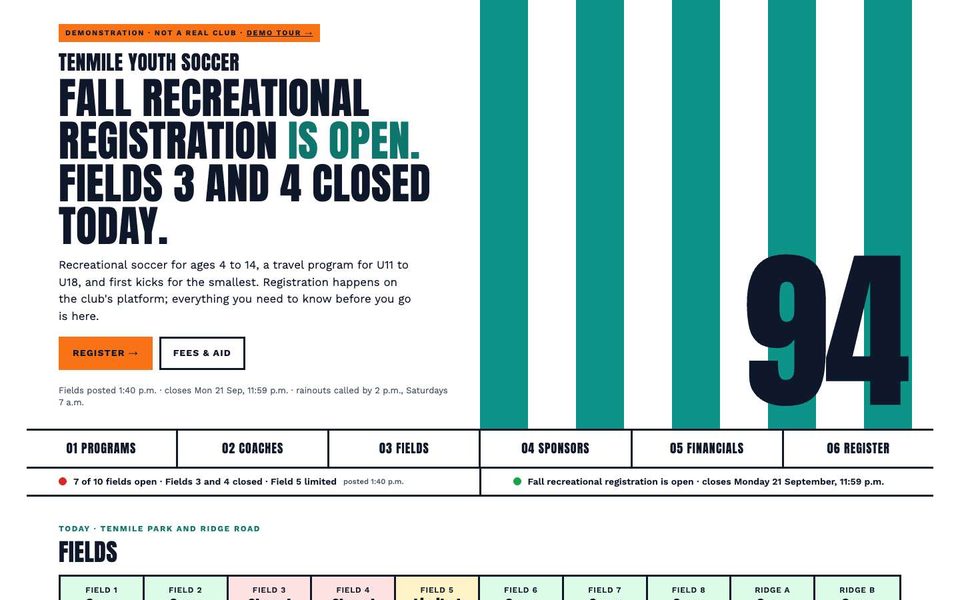
Tenmile Youth Soccer Club home page
"The kit": jersey stripes and a giant number per page; the founding year on the home page.
09 · CounselingBudget about $600K · 6 counselors · 6 pages

Larkspur Family Counseling

A counseling center where the website asks nothing clinical and puts the crisis line before anything else.

  • →988 above the fold on every page; no pixels, no testimonials
  • →The current wait to a first session, posted by staff; groups with a state and a date
  • →Counselors listed the way the licensing rule asks, with no faces
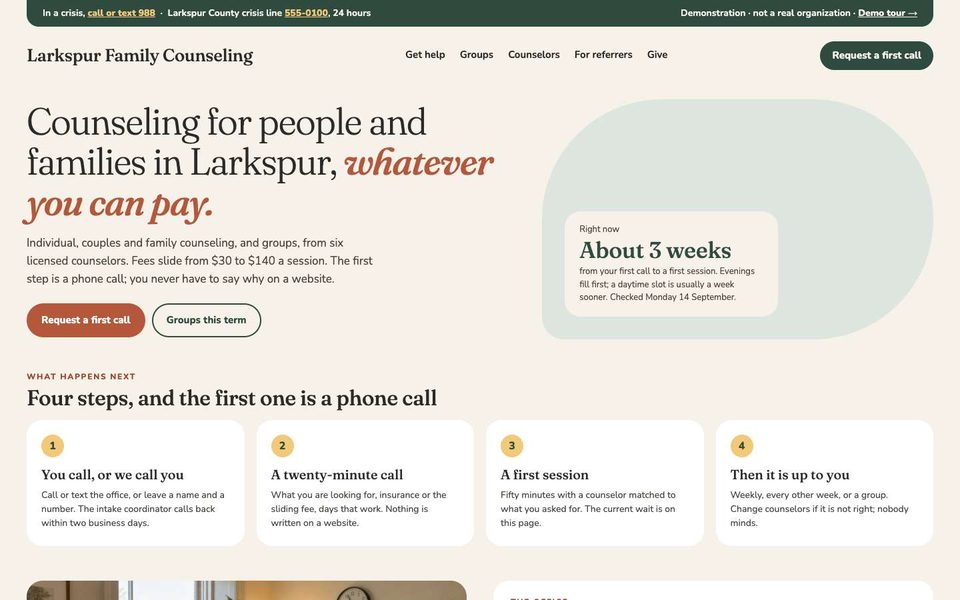
Larkspur Family Counseling home page
"The waiting room": cream, sage and terracotta, a rounded card holding the current wait.
10 · Animal rescueBudget about $580K · 85 foster homes · 6 pages

Copper Ridge Animal Rescue

A foster-based rescue whose adoptable list is never stale: pending shows as pending, and an adopted animal leaves by itself.

  • →Every animal a numbered entry with a status; the application pre-filled from it
  • →This week's foster board, with what the rescue always supplies
  • →Adoption days with shifts, financials with the licence number and the county contract
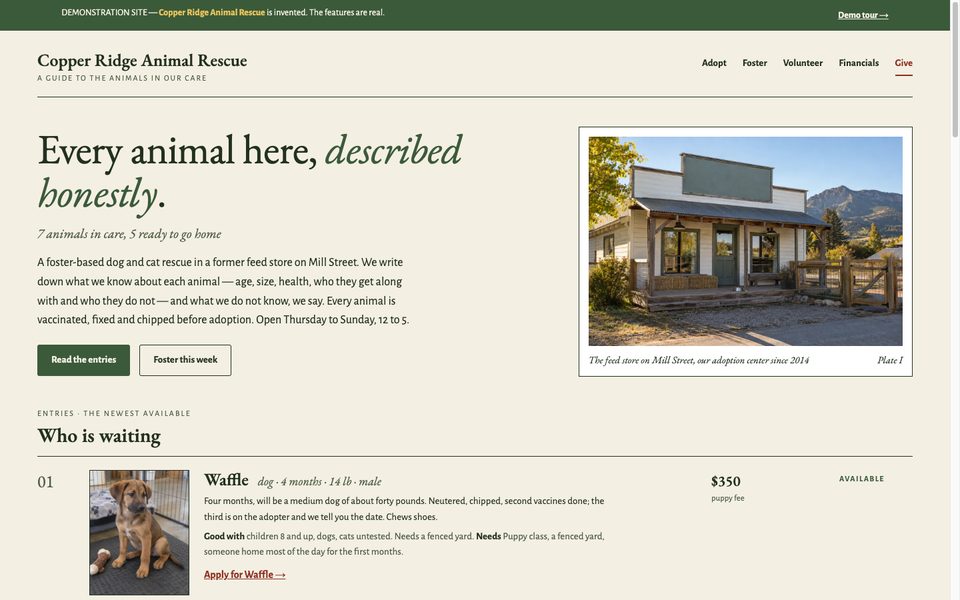
Copper Ridge Animal Rescue home page
"The field guide": cream, sage and ink; numbered entries, a plate per animal, an italic sub-line.
11 · Food pantryCash budget about $400K · 110 volunteers · 6 pages

Quarry Road Food Pantry

A client-choice pantry whose hours, closures and needs list are typed once and show up everywhere, including for search.

  • →"Closed right now — opens Saturday 9 a.m." computed from the hours sheet, never typed
  • →What we need this week, with a date on every line; a printable food-drive flyer
  • →Shifts by distribution day; numbers with a method; the USDA statement in full
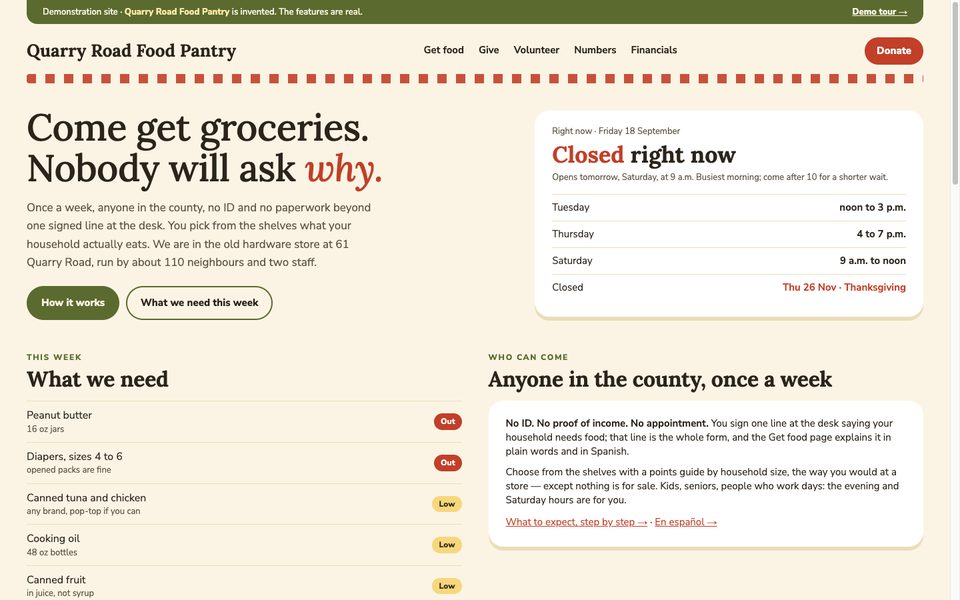
Quarry Road Food Pantry home page
"The kitchen table": cream, olive and tomato, a gingham stripe, rounded white cards.
12 · Free clinicBudget about $700K · 4 staff, 60 volunteer clinicians · 6 pages

Sawmill Free Clinic

A free clinic whose website answers the only question that matters first: do I qualify, in dollars.

  • →Three steps and the income table in dollars; a calculator that reads the same table
  • →"Closed today, next session Monday 5 pm" computed from the hours and closures sheets
  • →The application in English and Spanish, asking nothing clinical; donated medication valued and kept separate
Sawmill Free Clinic home page
"Wayfinding": white, deep teal and signal orange; big numbered steps and a colour bar on every row, like hospital signage.
13 · Resource directoryBudget about $400K · 3 staff, 22 volunteer checkers · 6 pages

Aging Well Navigator

A council on aging that runs one phone line and one list. The list is the home page, and every row says when it was last checked.

  • →A directory that filters by need, area, cost and language in the browser; a link can carry a filtered list
  • →"Last checked" on every row, a call-first flag after 120 days, a volunteer call sheet built from the dates
  • →Four life-stage doors, a printable list, a correction form per listing
Aging Well Navigator home page
"The directory": the search box is the hero, four doors preset the filters, a row per listing with a date on each.
14 · House museumBudget about $850K · 5 staff, 50 docents · 6 pages

Hollin House Museum & Garden

The premium sample: a museum is judged on care, so the site is set like a catalogue, and the visit information comes first.

  • →"Open today until 5 pm, last admission 4:15" computed from the seasons and closures; hours and admission as tables set with care
  • →Exhibitions that move between current, upcoming and past by date; twelve objects as plates, each with an adopt cost
  • →Membership as a real comparison table; the cost of a visit and the take of a ticket, each with its method
Hollin House Museum and Garden home page
"The catalogue": a serif set with care, tabular figures, hairlines, plates with captions. Information first.
15 · Domestic-violence servicesBudget about $1.4M · 14 staff · 6 pages

Ashgrove Haven

A domestic-violence program whose website can be left in one keypress and asks nothing about the person reading it.

  • →An escape button and the Esc key on every page, checked by script; the real national hotline before the sample local line
  • →A shelter with no address, and the reason why; groups with a state; the wishlist reordered by one staff tick
  • →Restricted and unrestricted money explained in one line; every number with its method
Ashgrove Haven home page
"Quiet exit": one narrow column, plum on pale lilac, a rose escape bar above everything.
What to look for

What makes a nonprofit easy to trust.

Six things worth checking when you look up any nonprofit, yours or ours. The look changes with the organization; these do not. All fifteen samples have all six.

What the money did

The year in plain numbers that add up, with three Form 990s, statements and the determination letter as labelled sample files that agree with them.

The staff side

One menu, tiles, a list of what needs attention today, year-end statements. Open it with the staff-preview button; no password.

Forms that send nothing

Every form is real and in demonstration mode: it validates, it explains what a real site would do next, and it records nothing.

One brand, everywhere

The same name, colours, type and one-line description on every page, so a funder who clicks from the home page to the financials knows it is the same organization.

It works on a phone

Most people who look you up are on a phone. Every form, table and document list on these sites was measured at 390px wide.

Hidden from search

Every sample is marked not-for-indexing and says on every page that it is invented, so nobody mistakes one for a real organization.

How to use them

They are for ideas, not for choosing.

Your site will be built for your organization. The samples show what a nonprofit site can do when staff can keep it current. Still deciding whether to build it yourself? What a website builder’s price does not include →

01

Open the one closest to yours

Same kind of organization, or the same problem: a wait, a season, a waitlist, a story nobody tells.

02

Press things

Fill a form with the sample family. Open the give panel. Sign in to the staff side and try to break something.

03

Tell us what you need

Name the sample and the parts that fit. We reply in writing within one business day with what we would build for you.

Five free videos

Your year has a story. We will turn it into a one-minute video.

Free for the first five nonprofits, made only from your own photos and clips. You see it first and decide whether it is shared.

See the offer →

Found one close to yours?

Tell us which, and what your nonprofit needs that it does not show. In writing, in your own time.

Start here

What you have, what is missing, which sample is closest. No account, no call to book.

Tell us what you need →