What Should Be on a Nonprofit Website? A Checklist From Eight Working Sites
connectNPO · Updated September 2026
Key takeaways
- A nonprofit website should say who you are and what to do next on its first screen, then carry programs, a way to give, ways to help, events, impact, financials, people, contact details, an accessibility statement and search basics.
- The list of pages is the easy part. What separates a working site is that every item with a date has an end date and a named person who keeps it right, weekly for events and yearly for impact and financials.
- In our count of 150 small California nonprofit websites, 37 showed something plainly out of date. The most common signal, on 21 sites, was an event more than 30 days past still shown as upcoming or open.
- Some items depend on your kind of organization: the 988 Lifeline for counseling services, hours and closures for a food pantry, a state license number for an animal rescue, and screening steps for youth programs.
- Each item in the checklist below links to a working example on one of connectNPO’s eight sample sites, built for invented organizations. The pages can be opened and pressed, so the checklist can be compared against something real.
A funder opens your site the evening before a meeting. The home page names a director who left last year, and the newest document is from 2023.
Checklists for nonprofit websites name the same few things: a mission statement, a donate button, a way to get involved. They are right, and they stop one step short. A site can carry every item on the list and still send a parent to a registration that closed in June.
This nonprofit website checklist adds the step after. Each item comes with the question it answers for a visitor, how often it changes, and a working example on one of connectNPO’s eight sample sites, which belong to invented organizations and can be opened and pressed.
What should be on a nonprofit website?
A nonprofit website should show who you are and what to do next on its first screen, then carry programs, a way to give, other ways to help, events, an impact page, financials, staff and board, contact details with your EIN, an accessibility statement and search basics. Every item with a date needs an end date and a person who keeps it current.
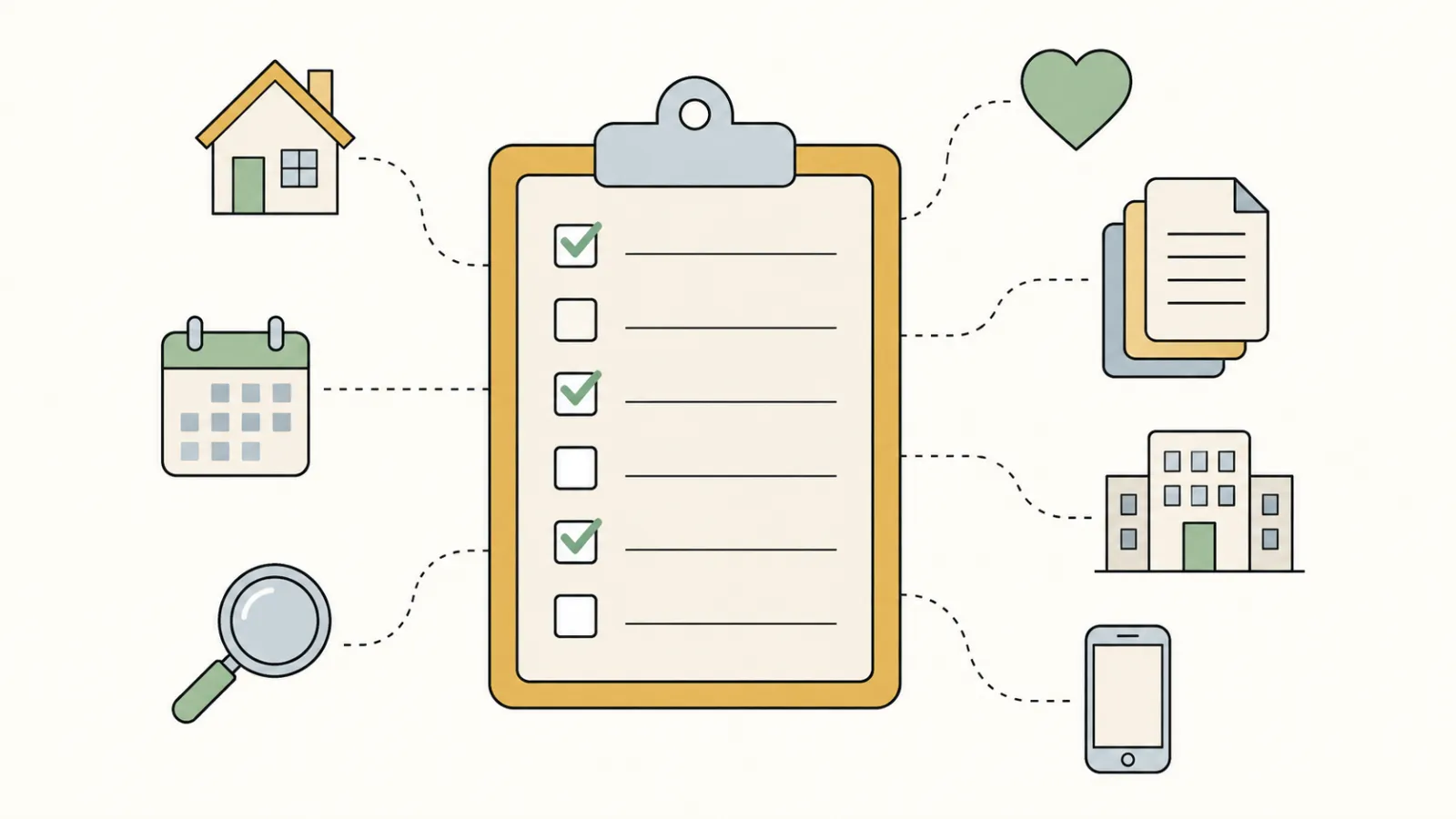
The checklist, with a working example for each item
Tick the ones your site has. The last column matters as much as the first: it says how often each item needs a fresh look to stay accurate.
| On the site | It answers | Working example | Changes | |
|---|---|---|---|---|
| Who you are and what you do, on the first screen | Is this for me, and what happens next? | Kestrel Youth Center home | When something changes | |
| Programs or services: who, when, cost, how to join | Can my family take part? | Harborlight Programs | Each season | |
| A way to give, with what an amount pays for | What would my gift do? | Harborlight Donate | Each November | |
| Other ways to help | Is there a way to volunteer, and what does it take? | Harborlight Volunteer | When roles change | |
| Events and deadlines that drop off after their date | What is coming up? | Harborlight Shows | Every week | |
| Impact: a few numbers, each with how it was counted | Does it work? | Harborlight Impact | Once a year | |
| Financials: recent filings, audit or review | Where does the money go? | Harborlight Financials | Once a year | |
| People: staff and board | Who runs it? | Harborlight About | When people change | |
| Contact: address, email, EIN | Where are you, and are you a registered charity? | Sample footers, each with its EIN | When something changes | |
| An accessibility statement | Does this site work with my screen reader or keyboard? | Harborlight Accessibility | Once a year | |
| Search basics: page titles, descriptions, organization details | Will people find you? | Harborlight Search preview | When pages change |
Examples are on connectNPO’s sample sites, for invented organizations; the pages are real and work. Read on September 22, 2026.
The first screen: who you are and what to do next
A shop window tells a passer-by what is inside and whether it is open. The first screen of your website does the same job for a visitor who arrived from a search.
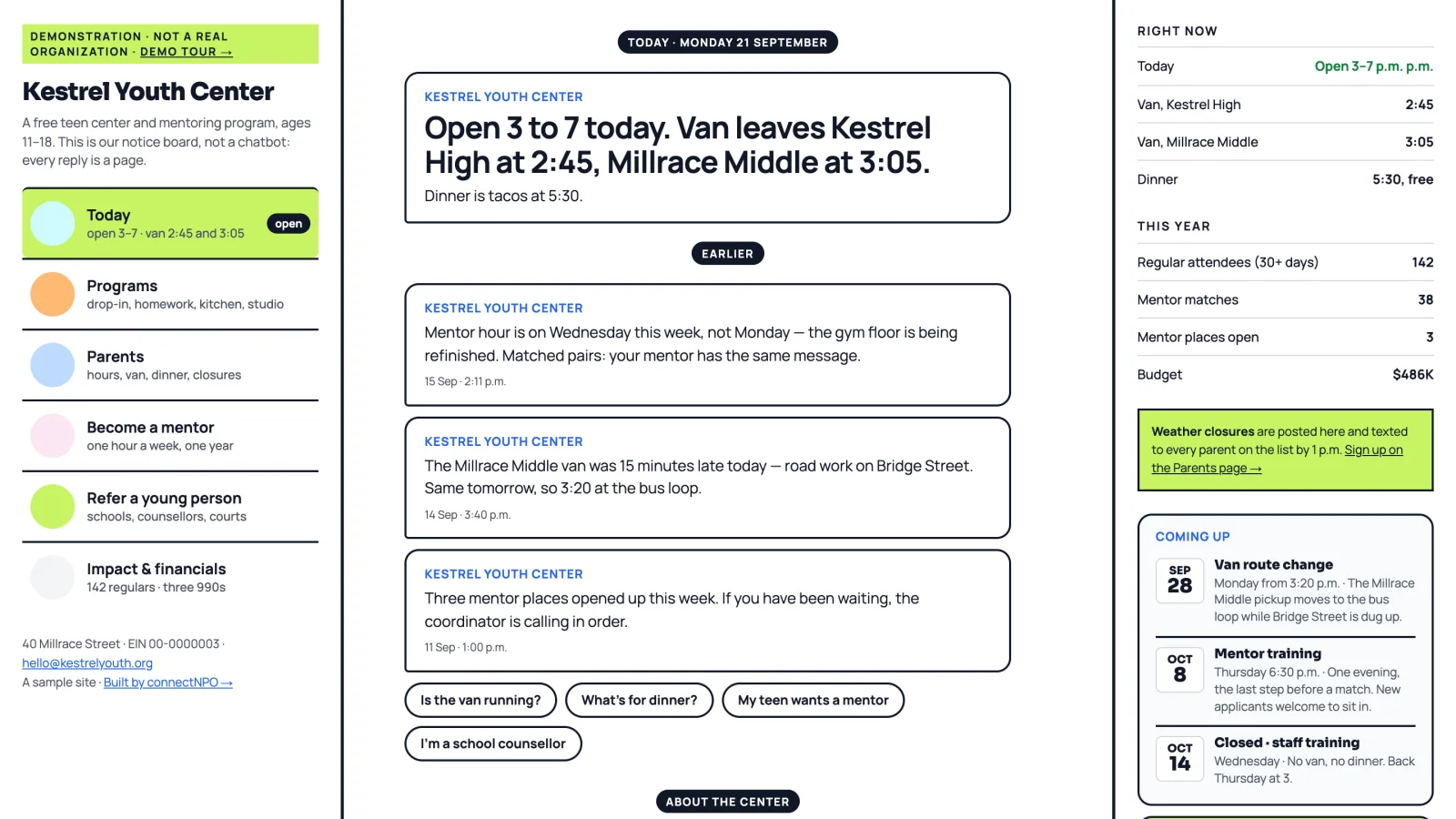
The Kestrel Youth Center sample puts today on the first screen: whether the center is open, when the van leaves and what is for dinner. Staff post one notice a day, and the home page, the parents page and the hours all read from it.
Anything with a date needs an end date
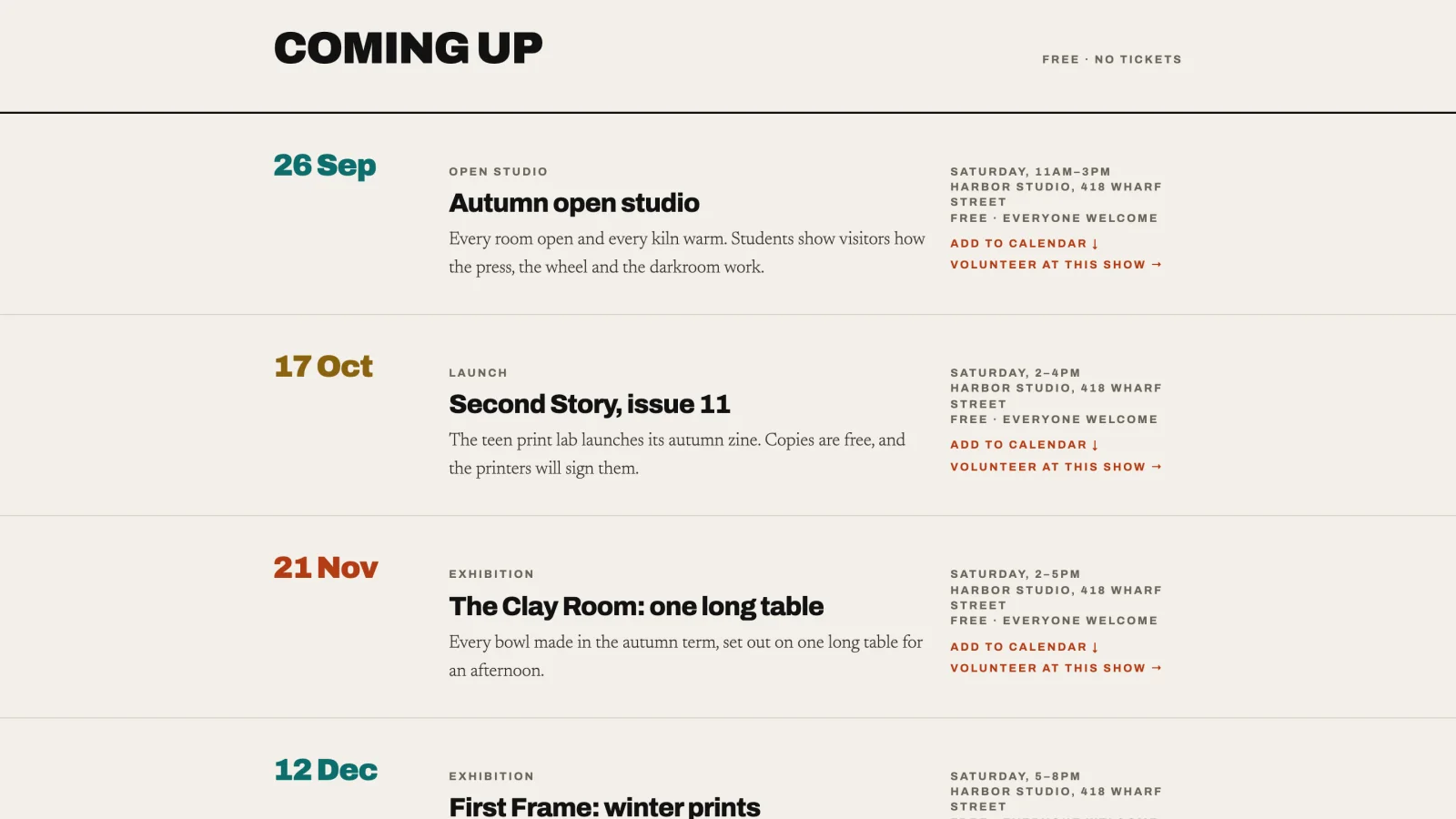
Food in a pantry carries a use-by date, so no one has to guess. Pages with dates need the same thing.
In our count of 150 small California nonprofit websites (501(c)(3) public charities with $250K to $1M in revenue, drawn at random), 37 showed something plainly out of date. The most common signal was an event, deadline or registration more than 30 days past that was still shown as upcoming or open: 21 of the 150 sites, about one in seven of the full group.
The fix is to give every dated item an end date the site acts on. On the Harborlight Shows sample page, each event has a date field, and the event drops off the site on its own once that date has passed. For a weekly routine that catches the rest, see how often to update a nonprofit website.
The pages a donor or funder checks
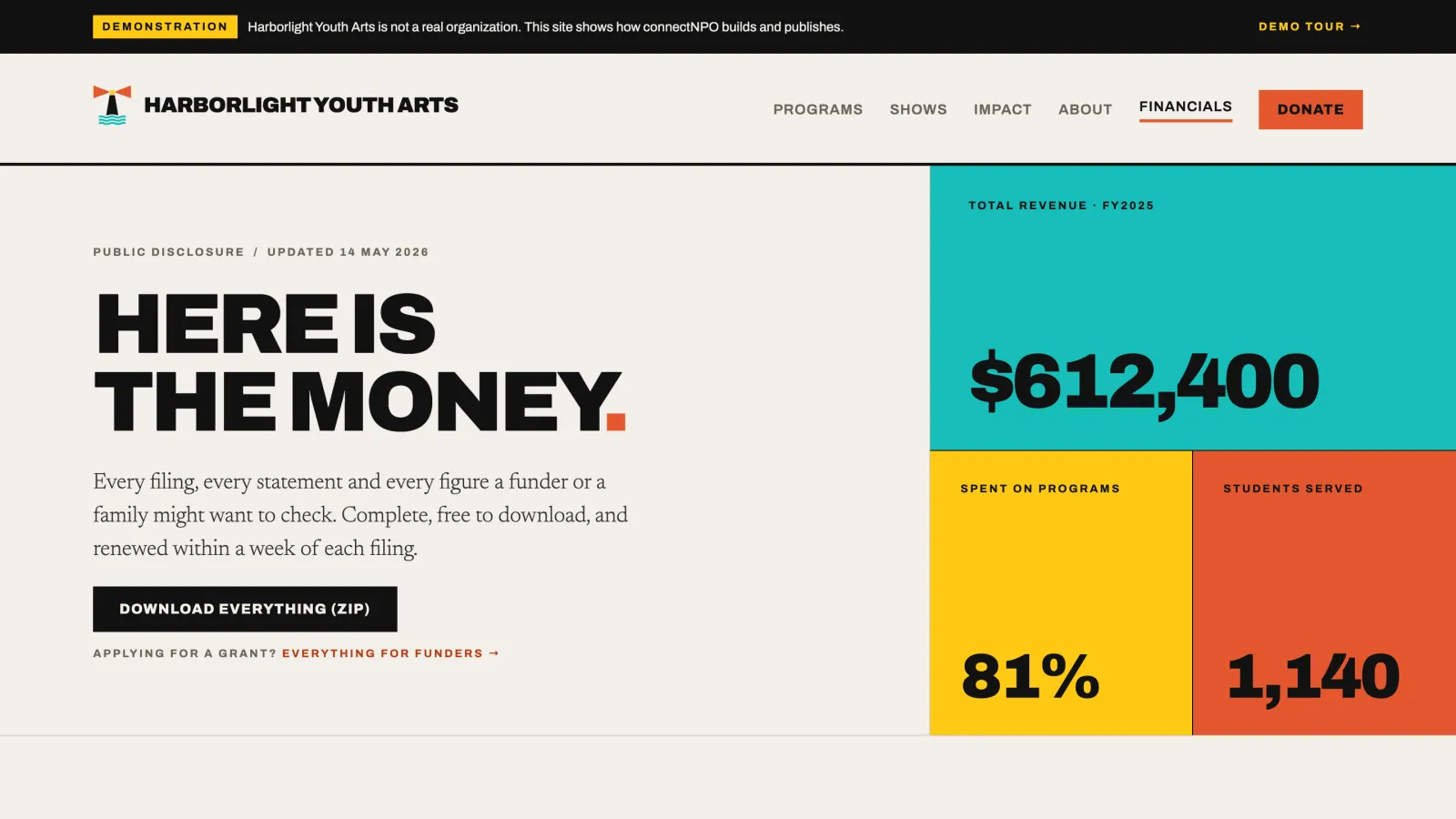
Some visitors come to check rather than to act: a donor before a first gift, a funder before a grant. Three pages answer their questions. An impact page that shows a few numbers and how each was counted; see nonprofit impact report examples. A financials page with your recent filings. And the people: who is on staff and on the board.
On filings, the IRS lets an organization meet requests for copies of its returns by making them widely available on the internet, on its own website or on a database run by another organization, provided the copy is an exact image of the original, free to download, and people are told where to find it. connectNPO does not give tax advice; ask your accountant what applies to you.
Every item on this list is part of a connectNPO site
We build dated items to drop off by themselves after their date, make every change you send us, and update impact and financials each year. One plan, $180 a month.
A site that works for every visitor
An accessible site works like a building with a ramp beside the steps: the ramp is built for wheelchairs and is also used by anyone with a stroller or a cart.
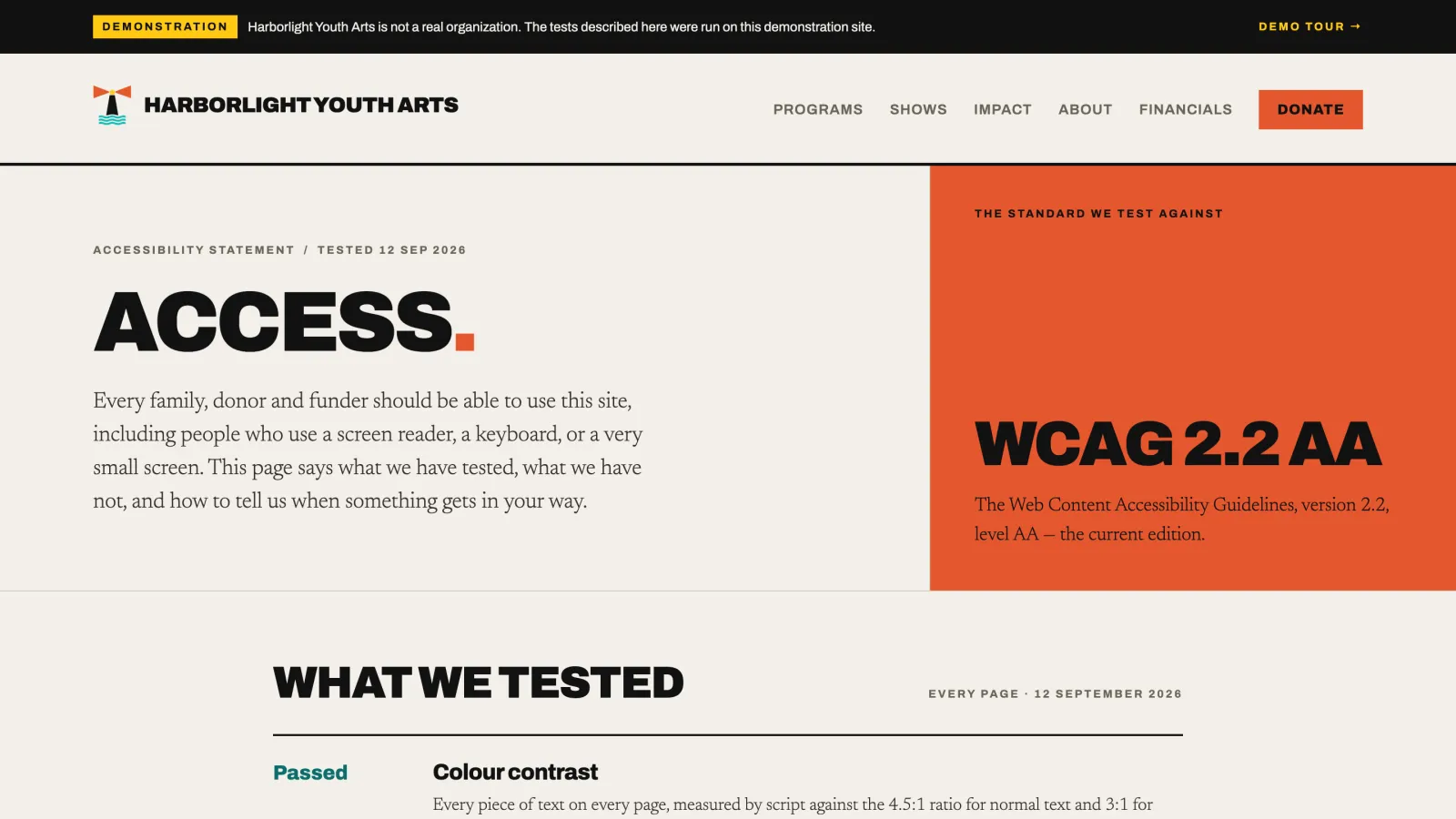
A website is used by people with a screen reader, a keyboard instead of a mouse, or a small phone in bright light. The Web Content Accessibility Guidelines (WCAG) 2.2 from the W3C set out what a page needs for them. The Harborlight sample tests against level AA.
An accessibility statement says what has been tested, what is known not to work yet, and how to report a problem. The Harborlight sample’s statement lists each test as passed, partly or not yet, and says it is not a claim of legal compliance.
What your kind of organization adds
The core list fits any small nonprofit. Some items belong to a particular kind of organization, and belong where a visitor can find them quickly.
Counseling and crisis support
The 988 Suicide & Crisis Lifeline, call or text, where a visitor in crisis sees it at once; on the Larkspur sample it sits above the fold on every page. Source: SAMHSA on 988.
Example: Larkspur Family Counseling (sample)
Food pantry
Hours and closures on the home page. If you distribute USDA food through a food bank, ask whether your agreement calls for USDA’s nondiscrimination statement on the site. Source: USDA’s statement.
Example: Quarry Road Food Pantry (sample)
Animal rescue
Your state license number, where the state issues one, and the name of the state program that issues it. Source: Colorado’s program (PACFA), for example.
Example: Copper Ridge Animal Rescue (sample)
Youth programs and sports
How adults who work with young people are screened, step by step.
Example: Tenmile Youth Soccer Club coaches (sample)
Scholarship fund
The application window with its open and close dates, and who can apply.
Example: Wren Valley Scholarship Foundation (sample)
Community theater
Audition dates, roles and what to prepare.
Example: Old Ferry Playhouse auditions (sample)
Where to start if yours is missing things
If your site is missing several items, start with the ones that are wrong in public, then the ones that are missing:
First, take down or mark as past anything with a date that has gone by. Second, make sure the first screen says who you are and what to do next. Third, put a way to give and a way to reach you within one click of every page. Then add impact, financials and people if the site does not have them yet, and update each one once a year after that.
Whether you can do this on the site you have depends on whether staff can edit it without a developer. For what a WordPress site needs to allow that, see WordPress for nonprofits, and for a working give panel, donation page examples.
Three of these items also matter for Google Workspace for Nonprofits: Google reviews your website for your EIN, a street address or your mission before it turns Workspace on. Our Google Workspace for nonprofits guide counts how many small nonprofit sites show them.
A newsletter sign-up box belongs on that list too. Our nonprofit newsletter guide counts how many small nonprofit home pages have one and what it asks for.
Frequently asked questions
What should be on a nonprofit website?
Who you are and what to do next on the first screen, programs or services, a way to give, other ways to help, events, an impact page, financials, staff and board, contact details with your EIN, an accessibility statement, and page titles and descriptions for search.
What pages does a small nonprofit website need?
Home, programs, give, get involved, about with staff and board, impact and financials, and contact. Events can live on the home page if there are only a few. Keep fewer pages if that is what it takes to keep every one current.
How often should a nonprofit website be updated?
Anything with a date every week, programs each season, and impact and financials once a year. In our count of 150 small California nonprofit websites, the most common problem was an event more than 30 days past still shown as upcoming or open.
Should a nonprofit post its Form 990 on its website?
It can. The IRS lets an organization meet requests for copies by making its returns widely available on the internet, on its own site or on a database run by another organization. connectNPO does not give tax advice, so ask your accountant what applies to you.
Does a nonprofit website need an accessibility statement?
A statement tells visitors what has been tested, what is known not to work yet, and how to report a problem. The Harborlight sample tests against WCAG 2.2 level AA, the current edition of the web accessibility guidelines, and publishes a statement that says so.
See your finished website before you pay for it.
Every item on this list is included. You pay nothing until you approve the finished site; the first payment is then $1,180 (the build fee plus the first month), and $180 a month after that.
See the plan and apply →The sample organizations are fictional, built by connectNPO. Study figures are from our count of 150 small California nonprofit websites, September 2026. This guide is general information, not tax, legal or accounting advice.