Zeffy vs Givebutter: What Donors See Before They Pay
connectNPO · Updated October 2026
Key takeaways
- Zeffy says it charges nonprofits nothing. Givebutter says it charges no platform fee when tips are on. Both make that work by asking the donor for a tip at checkout.
- We opened the giving pages of small California nonprofits that use these tools. On all three Zeffy forms a 17% tip was already selected: $8.50 on a $50 gift, $16.95 on $100. The one Zeffy tip list we opened had no 0% choice; a donor had to pick Other and type zero.
- On three of five Givebutter pages a 15% tip was already selected. Two pages showed no tip line at all; Givebutter lets an organization turn tips off, for a flat 3% platform fee. All five had already ticked a box adding a processing fee to the donor’s total.
- Donorbox and GiveWP asked for no tip on any page we opened, as far as we went. Donorbox charges the organization instead: its free Standard plan lists fees between 2.95% and 3.95%. On the one Give Lively page we opened, a $12 gift showed a $12 total.
- None of this makes one tool right. It means “free” tells you what you pay, not what your donor pays. Open your own checkout as a donor would, and choose deliberately what is added before the Donate button.
A donor gives $50 on your form. A few days later they reply to your thank-you email: why did my card show $58.50? On a form with a 17% tip already selected, that is the question you may get, or the one the donor never asks.
Zeffy vs Givebutter sounds like a question about fees. For the nonprofit, both answer it the same way: little or nothing. The more useful question is what your donor sees just before pressing Donate. On October 3, 2026 we opened the giving pages of small California nonprofits that use each tool and wrote down every line added to the gift.
Zeffy vs Givebutter: the short answer
Zeffy says it relies entirely on donor tips; Givebutter lists no platform fee when tips are on. On all 3 Zeffy forms we opened, a 17% tip was already selected. On 3 of 5 Givebutter pages a 15% tip was already selected, and on all 5 a box adding a processing fee was already ticked. In the tip lists we opened (one Zeffy form, three Givebutter pages), none offered 0%.
Givebutter lets an organization turn tips off for a flat 3% platform fee; two of the five pages showed no tip line, which is what we would expect if that setting was on. Zeffy’s pricing page, read the same day, describes the tip as optional for the donor. These are small counts from one state, so read them as what we saw, not as a rule.
When we searched zeffy review on October 3, 2026, Google’s AI summary listed the donor tip among the complaints, citing review sites, videos and forum posts. The sections below are what the forms showed, the closest thing to a Zeffy review or Givebutter review we can offer: what a donor sees.
A tip already selected on a form works like a suggested gratuity printed on a bill: you can change it, but you have to notice it first.
Zeffy fees and Givebutter fees: how a free platform pays its bills
Zeffy’s pricing page says its price is $0, that it covers card fees, and that it relies entirely on optional tips from donors. It adds that on average two out of three donors leave a tip. Givebutter’s pricing page lists a 0% platform fee when tips are on, and a flat 3% platform fee when they are off, plus card processing of 2.9% plus 30 cents (1.9% plus 30 cents for bank transfers).
That is a fair way to run a company, and it is why both can say they are free for nonprofits. Under this model, the cost shows up at the donor’s checkout instead of in the organization’s budget. A donor giving $50 is asked whether to add an amount for the platform, not for you. Whether that sits well with your donors is your call; the first step is to see it.

What donors saw at checkout, page by page
Here is what the forms showed when we opened them. We did not type a name, an email or a card number, and we stopped before any payment button.
Opened by hand on October 3, 2026 in a desktop browser. We chose an amount and went to the step that shows the total; we typed nothing personal and pressed no payment button.
On Zeffy the tip appeared on the second screen, next to the total and above the payment choices. On one form we also tried $10,050 to see whether the default changed, and it showed 7%. So 17% was the default at $50 and $100. On Givebutter the tip sat in a box beside the fee line, with arrows to move between 15%, 12%, 10% and Other.
Two Givebutter pages added a screen before the total suggesting a monthly gift instead of the one-time gift chosen; one of them also asked for a message, with a Skip button. Both add a step between the donor and the Donate button.
One $50 gift, as each form was set
This table shows what a donor would pay on a $50 gift if they changed nothing on the form, as each form was set when we opened it.
| The form | Gift | Processing fee added | Tip | Donor pays |
|---|---|---|---|---|
| Zeffy, tip left as set | $50.00 | — | $8.50 | $58.50 |
| Givebutter, tip on, as set | $50.00 | $1.80 | $7.50 | $59.30 |
| Givebutter, no tip line shown | $50.00 | $3.30 | — | $53.30 |
| Donorbox or GiveWP, nothing added that we saw* | $50.00 | — | — | $50.00 |
Figures as shown on the forms on October 3, 2026. The Givebutter rows add up the amounts shown on the page. The processing fee differed between pages: $1.80 on two and $3.30 on one, each on a $50 gift. Every added line can be changed by the donor. *We did not reach a total on the Donorbox and GiveWP forms; that row shows the gift with nothing added that we saw. The organization still pays its processing fee on that gift.
The difference between $50.00 and $59.30 is not hidden: every line is on the screen and can be changed. The point is the default. Unless a donor changes a line, the total on the screen is what they pay, and the tip goes to the platform, not to your organization.
Keep the giving tool you chose
We build the donation page on your own website and connect it to the giving tool you already use, whether that is Zeffy, Givebutter or another. One plan, $180 a month, and the $1,000 build fee only after you approve the finished site.
Donorbox, GiveWP and Give Lively for comparison
For contrast, we opened the giving pages of organizations using three tools that had not asked the donor for a tip by the point where we stopped: Donorbox and GiveWP, and Give Lively, which says it charges nonprofits nothing and accepts voluntary tips from donors. On the Donorbox pages, no tip was asked for up to the personal-details step, where we stopped; one form had a cover-the-fee box that was not ticked. Donorbox’s pricing page lists its free Standard plan at fees between 2.95% and 3.95%, its Pro plan at $150 a month with 1.75% to 2%, and Premium at 1.6% to 2%.
GiveWP is a WordPress plugin, and none of the 5 GiveWP pages, read from their page code, asked for a tip; two loaded GiveWP’s fee-recovery add-on, which lets a donor choose to cover the fee. No tip does not mean no fee: the organization still pays the card processor, such as Stripe or PayPal, for every gift, and GiveWP’s documentation says its free Stripe gateway adds 2% on one-time donations. That 2% applies to Stripe, not PayPal, and GiveWP says a license for any paid plan or add-on removes it; its plans were $199, $399 and $599 a year when we read them on October 3, 2026. On the one Give Lively page we could open, a $12 gift showed a $12 total; Give Lively’s pricing page says it accepts voluntary tips from donors, and this page had not asked for one by the payment-method step, where we stopped. Our count of 105 donate links covers which tools small nonprofits use, and the payment guides cover PayPal, Stripe, Venmo and Square.
Choosing between Zeffy and Givebutter is like choosing between two halls that charge you no rent as long as guests are asked to tip at the door: ask what each hall asks your guests to pay, and what Givebutter charges you if you turn the tip off.
How to choose, and what to check on your own form
If your budget is the main worry, a tip-funded tool keeps your costs near zero, and part of the cost falls on your donors. If you would rather donors see only their gift, a tool that charges the organization, such as Donorbox, or Givebutter with tips turned off, costs you a few percent instead, though check whether a cover-the-fee box is ticked by default: it was on both Givebutter pages with no tip line. Either way, check your own form:
- 01Open your own form as a donor. Pick an amount and go to the step with the total. Write down every line that was added before you touched anything.
- 02Find the 0. If there is a tip, count the clicks it takes to make it zero. On the pages we opened it was a choice called Other, then typing.
- 03Look at the boxes already ticked. A ticked processing-fee box changes the total. It may be fine; decide it on purpose.
- 04Read the line that explains the tip. Zeffy and Givebutter both say who the tip goes to. Check that a donor can tell the tip does not go to your organization.
- 05Know what turning it off costs. Givebutter lists a flat 3% platform fee with tips off. Donorbox lists 2.95% to 3.95% on its free plan. Put those beside what donors are asked for.
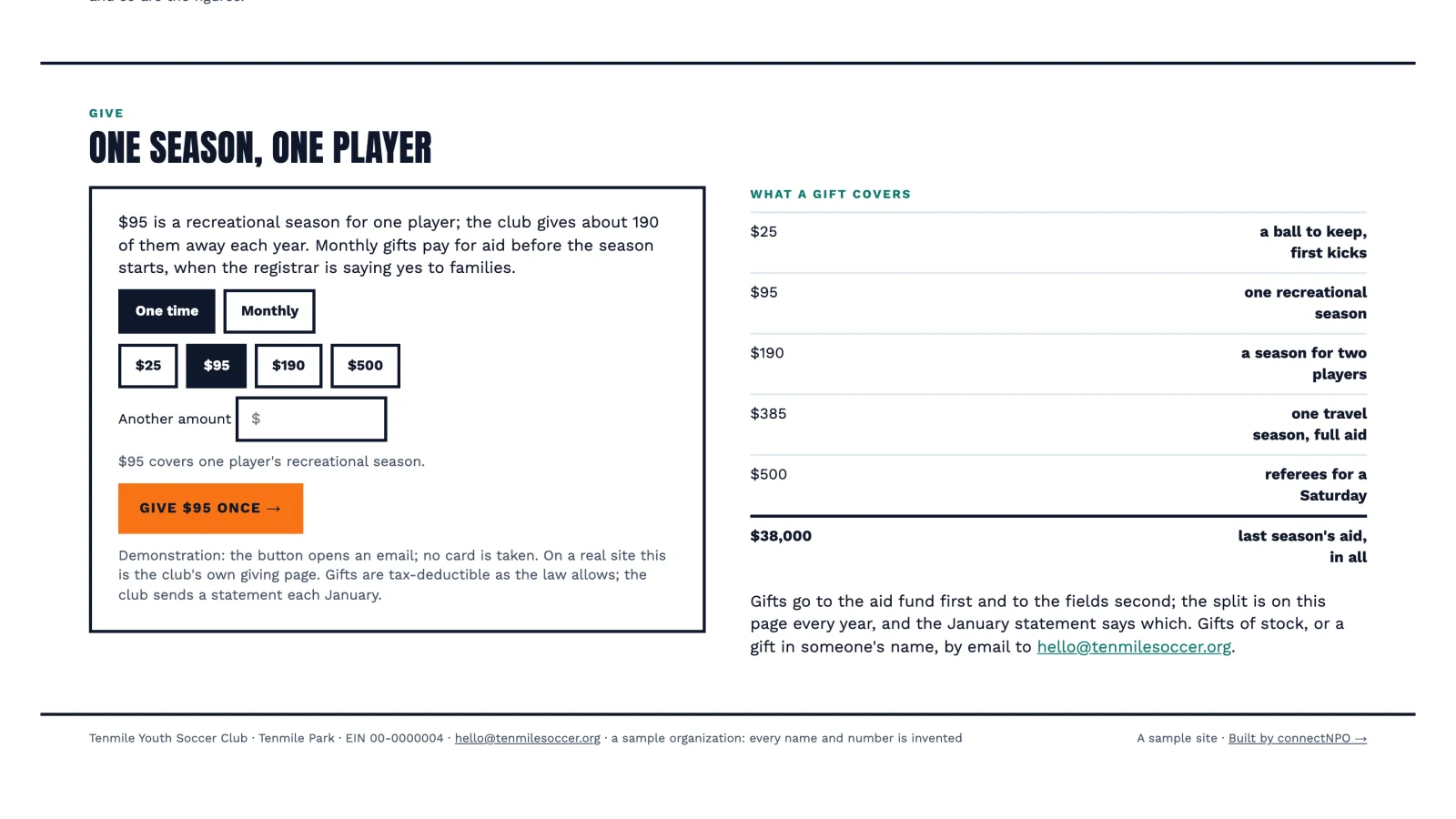
The form is only half of it. The page around it, saying what a gift pays for and offering a monthly choice, matters as much; our donation page examples show eight on our sample sites (try the give panel on Harborlight), which are invented nonprofits with complete demonstration websites.
Want every payment option side by side? For every option on one page, see our guide to nonprofit payment processing.
Frequently asked questions
Is Zeffy really free?
Zeffy says it charges nonprofits nothing and covers the card fees, and that it relies entirely on optional tips from donors. On the three Zeffy forms we opened on October 3, 2026, a tip of 17 percent was already selected at the amounts we tried, 50 and 100 dollars, and the one tip list we opened had no 0 percent choice.
Zeffy vs Givebutter: what is the difference?
Both ask donors for a tip at checkout. On the forms we opened, Zeffy pre-selected 17 percent and Givebutter 15 percent. Givebutter lets an organization turn tips off for a flat 3 percent platform fee; two of the five Givebutter pages we opened had no tip line. All five Givebutter pages had already ticked a box adding a processing fee to the gift.
What are Givebutter fees?
Givebutter’s pricing page, read on October 3, 2026, lists a 0 percent platform fee and no processing fee for the nonprofit when tips are on. With tips off it lists a flat 3 percent platform fee, plus card processing of 2.9 percent plus 30 cents, or 1.9 percent plus 30 cents for bank transfers.
Can donors skip the tip on Zeffy or Givebutter?
Yes. Both companies describe the tip as optional. In the tip lists we opened, one on Zeffy and three on Givebutter, none offered 0 percent as a choice; on the Zeffy form we tried, zero meant choosing Other and typing 0. Open your own form to see how that step looks to a donor.
Which donation platform is best for a small nonprofit?
It depends on what you want donors to see. Zeffy and Givebutter, with tips on, list little or no fee for the organization and ask donors for a tip. Donorbox lists fees for the organization, and Donorbox and GiveWP asked for no tip on the pages we opened. Open your own form as a donor before you choose.
See your finished website before you pay for it.
A donation page on your own site, connected to the giving tool you already use. You pay nothing until you approve the finished site; the first payment is then $1,180 (the build fee plus the first month), and $180 a month after that.
See the plan and apply →Prices from Zeffy’s, Givebutter’s, Donorbox’s and Give Lively’s own pricing pages, read October 3, 2026; check them before you choose. Checkout details from our check of small California nonprofit giving pages on October 3, 2026: 3 Zeffy, 5 Givebutter, 3 Donorbox, 5 GiveWP and 1 Give Lively page; no organization is named. The sample sites we link to are fictional. This guide is general information, not legal, tax or financial advice.