Squarespace for Nonprofits: What It Does Well, and What Leaves With You
connectNPO · Updated September 2026
Key takeaways
- Squarespace publishes a nonprofit tip in its own help center: entering NONPROFIT at checkout gives a 10% discount off your first payment. It applies to the first payment, so the renewal is the price the organization will live with.
- What leaves with you is narrower than people expect. Squarespace can export a file that WordPress reads in, carrying layout pages, gallery pages, one blog page with its posts, and blocks of text and images. Calendar pages, portfolios and drop-down menus stay behind.
- Its help center lists what will not export: other page types such as calendar, portfolio, index and store pages, page-specific headers and footers, more than one blog page, dropdowns, audio, product and video blocks, drafts, style settings and custom CSS.
- Squarespace is a good fit for a small, image-led nonprofit site with one editor and few moving parts. It fits less well when the site may need to move later, since only part of it exports, or when several people edit different parts each week.
- The other option is having it built and kept for you. connectNPO is one plan at $180 a month plus a $1,000 build fee, paid only after you approve the finished site, and after twelve monthly payments the site leaves with you at no charge, as a complete copy of files and database.
The new volunteer coordinator wants a sign-up form, a calendar and a page for each program. The site launched two years ago, and each change now starts with a search through the help center.
Squarespace makes a small organization look composed. The templates are restrained, the type is chosen for you, and a site with good photographs looks finished on the first afternoon. For a nonprofit with no designer, that is worth a great deal.
This guide to Squarespace for nonprofits covers two things a template gallery leaves out, both from Squarespace’s own help center: what the nonprofit discount actually covers, and what comes with you if the organization ever moves. Read on September 22, 2026.
Squarespace for nonprofits: is it a good fit?
Squarespace suits a small nonprofit site that leans on photographs, is edited by one person and changes little from month to month. It suits less well when events, programs or documents have to stay current by themselves, or when the site may need to move, because only part of a Squarespace site can be exported.

The nonprofit discount is on the first payment
A discount on the first payment is like money off the first night of a long hotel stay: welcome, but the bill that matters is every night after it.
Squarespace’s guide to building a nonprofit site carries the offer in a tip near the top: enter NONPROFIT at checkout for a 10% discount off your first payment. Squarespace also publishes a nonprofit solutions page, but it carries no discount; this code is the offer, and the tip describes no verification step.
Because it applies to the first payment, the number to compare between platforms is the renewal, not the first invoice. Squarespace’s current plan prices are on its own pricing page; we do not republish other companies’ prices here, because they change and a stale price is worse than none.
What leaves with you if you go
Moving house tells you what you own. So does reading a platform’s export page, and it is better read before the boxes are packed.
From Squarespace’s own guide to exporting a site, read on September 22, 2026. It also states that content cannot be exported from one Squarespace site and imported into another.
Read the two columns as a description of where your work lives. Words and pictures come with you. Structure stays behind, because it belongs to the platform rather than to the exported file: calendar pages, portfolios, drop-down menus and the styling that made the site yours.
Or have it built and kept for you
Design, build, hosting, updates and every change, in one plan at $180 a month. The $1,000 build fee is due only once you approve the finished site.
Where Squarespace fits a nonprofit well
Fits when
- A small site led by photographs: mission, programs, a donate button, contact.
- One person edits it, and the design should stay where the template put it.
- No one wants to think about hosting, updates or backups.
- The organization is content for the site to live on one platform.
Fits less well when
- Parts of the site have to change themselves, such as an event that comes down on its own: test that before you build.
- Several staff edit different parts each week.
- The site may need to move to another platform or team later.
- You would rather the work were done for you than have a tool to do it with.
The same trade runs through every builder. Our look at the other large one, with its own renewal terms and its own answer on leaving, is in Wix for nonprofits; both sit beside the self-hosted option in our comparison of nonprofit website builders.
Donations and volunteers on Squarespace
Squarespace’s nonprofit guide covers two common needs. For gifts, connect a payment service and add a donation section with suggested amounts. For volunteers, add a form whose answers go to Mailchimp, Google Drive or an email address.
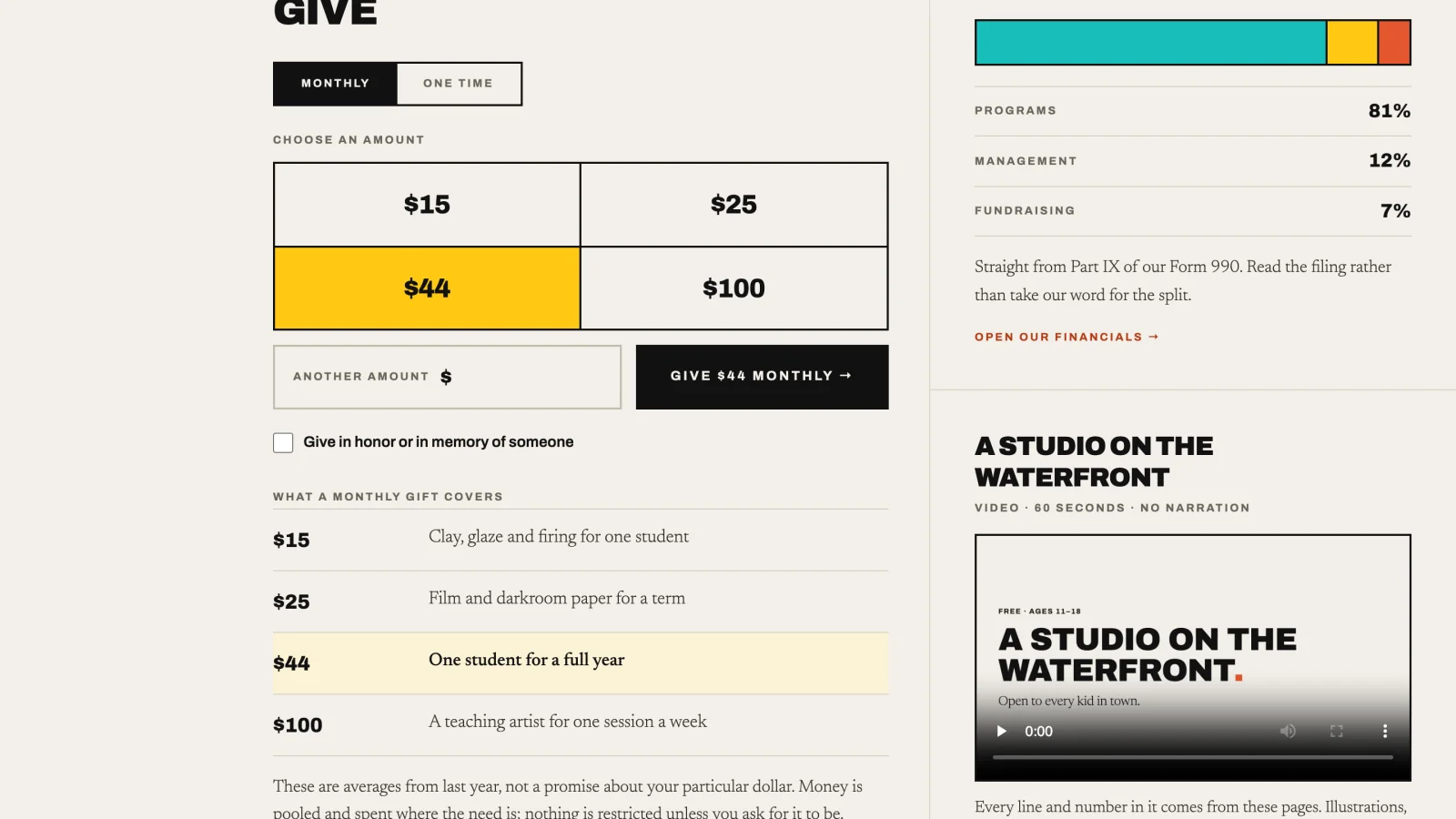
What a donation page should do is the same on any platform. If you want to test yours against working examples, eight sample donation panels can be pressed, and eight impact pages show how each number on them was counted.
Keeping a site current is the real work
A good template is a well-built frame. The picture inside still has to change when the season does.
The platform question takes an afternoon. The work that follows takes a year. In our count of 150 small California nonprofit websites, 37 showed something plainly out of date, and the most common signal was an event or deadline more than 30 days past still shown as upcoming or open.
That is not the platform’s doing. It happens when something with a date has no end date, and no one is responsible for taking it down. Whatever you build on, decide which parts of the site expire by themselves, and who looks at the rest each week. The full list is in what should be on a nonprofit website.
The other option, and what it costs
The real comparison is between doing it yourselves on a platform and having it done for you. Ours is one plan: $180 a month, plus a $1,000 build fee paid only once you approve the finished site, so the first payment is $1,180 and the first year is $3,160.
It covers the design and build, hosting, the domain renewal up to $25 a year, backups, updates and every change you send us. After twelve monthly payments the site leaves with you at no charge, as a complete copy of files and database, built to run on WordPress with free add-ons, which WordPress for nonprofits explains. What hosting has to do either way is in nonprofit website hosting.
A short way to decide
Three questions settle it faster than a feature comparison.
Who edits the site in month seven?
If the answer is a volunteer who has left, no platform saves you.
What has to change itself?
Events, deadlines, places left. A builder leaves these to a person.
Could you leave with the site?
Read the export page before you build, not after.
If the answers are “one person, nothing has to change itself, and we will stay put”, a builder is a reasonable choice and Squarespace is a good one. If any answer is different, price the alternative before you build.
Frequently asked questions
Does Squarespace have a nonprofit discount?
Squarespace tells nonprofits in its own help center to enter NONPROFIT at checkout for a 10 percent discount off the first payment. Since it applies once, compare platforms on the renewal price rather than the first invoice.
Can you export a Squarespace site?
Only partly. Squarespace can generate a file that WordPress imports. It carries page layouts, gallery pages, one blog page with its posts, and blocks of text and images. For a self-hosted WordPress site, Squarespace says images may not come across and suggests downloading and re-uploading them.
What does not export from Squarespace?
Its help center lists other page types such as album, cover, index, info, calendar, portfolio and store pages, content in page-specific headers, footers and sidebars, more than one blog page, dropdowns, audio, product and video blocks, drafts, style settings and custom CSS.
Is Squarespace or WordPress better for a nonprofit?
Squarespace asks for no maintenance and keeps design decisions inside its editor. WordPress can be moved and extended, and someone has to apply updates. Choose by which of those two risks your team can carry.
What does it cost to have a nonprofit website built for you?
On our plan it is 180 dollars a month plus a 1,000 dollar build fee, paid only after you approve the finished site. That covers design, hosting, the domain renewal up to 25 dollars a year, backups, updates and every change you send us.
See your finished website before you pay for it.
Built for you, kept current, and yours to take. You pay nothing until you approve the finished site; the first payment is then $1,180 (the build fee plus the first month), and $180 a month after that.
See the plan and apply →Squarespace terms were read from its own help center on September 22, 2026 and can change; check the linked pages before deciding. connectNPO is not affiliated with Squarespace. The sample organizations are fictional, built by connectNPO. This guide is general information, not legal advice.